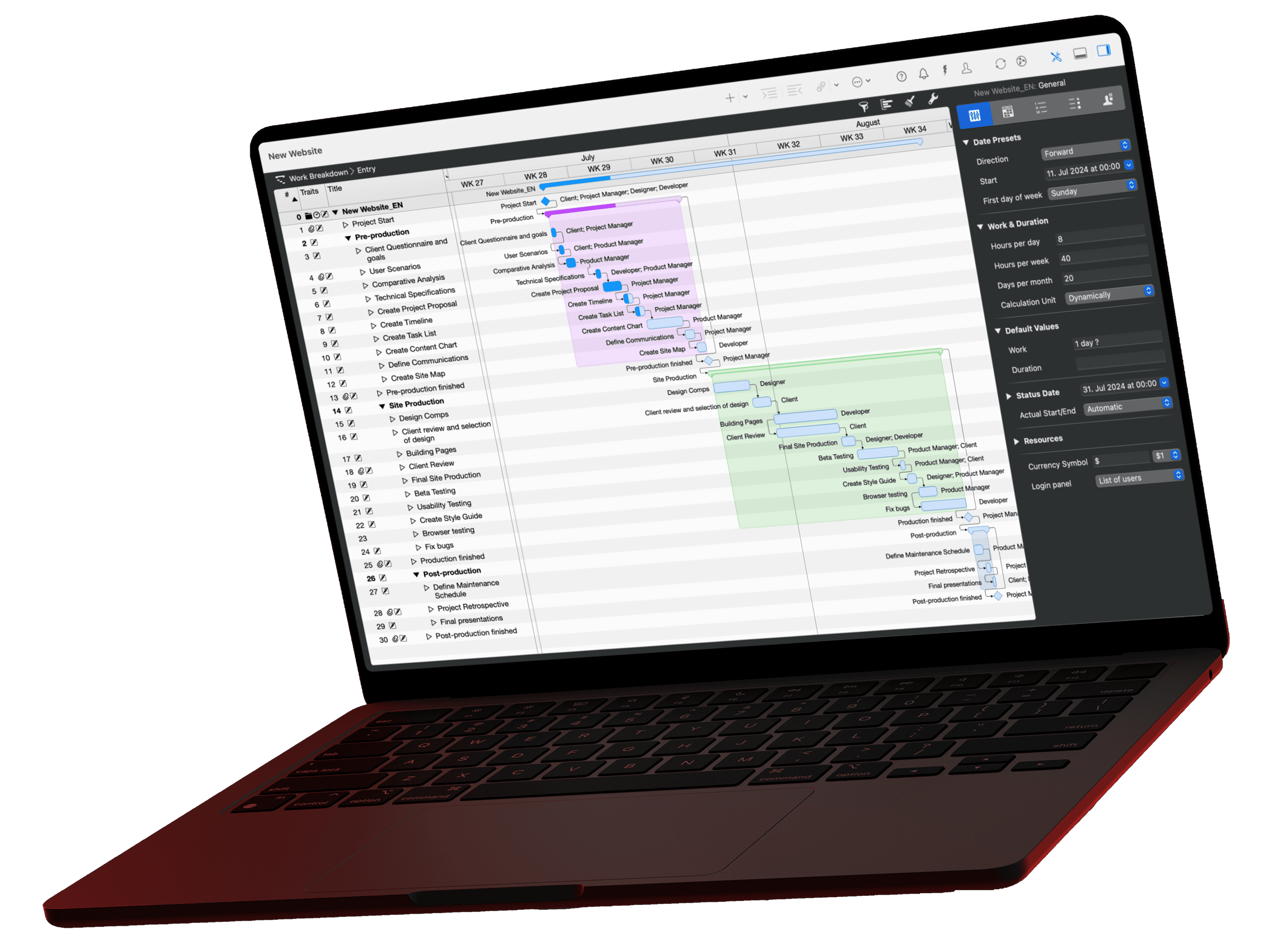
A work breakdown structure (WBS) splits a project into work packages and answers "what?". The activity sequence puts those packages in order, and the project schedule gives them dates. The PMBOK Guide places the WBS in scope management and the schedule in schedule management; in the example below, 13 work packages become 35 weeks of construction.
What Is the Difference Between a WBS, a Project Schedule and a Project Plan?
The WBS lists all the work a project contains. The activity sequence puts that work in order, and only the project schedule fixes when it happens. The plans build on each other. A schedule drawn up without a WBS and a sequence works with incomplete scope and no dependencies.
| Plan | Key question | Content | Typical format | When you create it |
|---|---|---|---|---|
| Work breakdown structure (WBS) | What needs to be done? | Deliverables and work packages, hierarchical, no dates | Tree diagram or indented list | First, after defining the goals |
| Activity sequence | In which order? | Activities, milestones and their dependencies | Network diagram or list with predecessors | After the WBS |
| Project schedule | When exactly? | Durations, start and finish dates, critical path, float | Gantt chart, list of dates | After the sequence |
| Project plan | How will the project run overall? | All plans plus cost, resources, risks, communication | Collection of documents | Maintained throughout |
The German standard DIN 69901-5:2009 describes the WBS as a complete, hierarchical representation of all elements of the project structure, as a diagram or list. It explicitly does not treat the sequence plan as a schedule: the sequence orders activities and milestones logically, and only the schedule attaches calendar dates.
What Is a Work Breakdown Structure?
A work breakdown structure is the hierarchical decomposition of the entire project scope into elements you can plan and control. The project sits at the top, deliverables below it, and work packages at the bottom. Anything not in the WBS is not part of the project, so nobody plans it or pays for it.
A WBS contains no dates and no dependencies. It is the basis for estimating effort, cost and resources. Our glossary entry on the work breakdown structure gives the short definition.
What Is a Work Package?
A work package is the lowest element of the WBS, the one you do not break down any further. According to DIN 69901-5 it can sit on any level of the hierarchy. A good work package has a reviewable result, one responsible person and an effort you can estimate. For the sequence you split it into individual activities where needed. More in the glossary entry on the work package.
What Is the 100% Rule?
The 100% rule states that the WBS includes 100 percent of the work defined by the project scope, including project management itself. It applies at every level: the children of an element add up to exactly 100 percent of their parent, no more and no less. This is how the Practice Standard for Work Breakdown Structures of the Project Management Institute (PMI) describes it.
In the example below this means: shell construction consists of exactly three work packages. If "Roof structure and roofing" is missing, the roof is also missing from the schedule, the budget and the tender. That is why site management appears as its own package, even though it produces no building component.
How Do You Structure a WBS?
You can structure a WBS by deliverables, by functions or by phases; in practice most WBS mix these. The approach decides what you ask for on the second level.
| Structure | Level 2 asks for | Single-family home example |
|---|---|---|
| Deliverable-oriented | Components of the result | Basement, ground floor, roof, landscaping |
| Function-oriented | Activities or trades | Design, masonry, electrical, plumbing |
| Phase-oriented | Time periods | Planning and permits, shell, interior finishing |
| Mixed | Different per level or branch | Phases on level 2, components on level 3 |
What Does a WBS Look Like? An Example
The following example breaks down the construction of a single-family home into five deliverables and 13 work packages. Level 2 mostly follows the construction phases, level 3 the trades, so it is a mixed WBS. The numbers are WBS codes as they also appear in Merlin Project.
Work breakdown structure: single-family home
3 levels, 5 deliverables, 13 work packages
How Do You Turn a WBS Into an Activity Sequence?
You turn a WBS into an activity sequence by assigning predecessors to every work package. For each package, ask: what must be finished before this package can start? The answer is a finish-to-start dependency. You estimate durations in the same step.
| WBS code | Work package | Predecessor | Duration |
|---|---|---|---|
| 1.1.1 | Design | none | 4 weeks |
| 1.1.2 | Building permit | 1.1.1 | 8 weeks |
| 1.1.3 | Construction drawings | 1.1.1 | 6 weeks |
| 1.2.1 | Excavation and foundation slab | 1.1.2 and 1.1.3 | 2 weeks |
| 1.2.2 | Masonry and floor slabs | 1.2.1 | 6 weeks |
| 1.2.3 | Roof structure and roofing | 1.2.2 | 3 weeks |
| 1.3.1 | Windows and exterior doors | 1.2.3 | 1 week |
| 1.3.2 | Building services | 1.3.1 | 4 weeks |
| 1.3.3 | Plastering and screed | 1.3.2 | 4 weeks |
| 1.3.4 | Flooring and painting | 1.3.3 | 3 weeks |
| 1.4.1 | Driveway, terrace and garden | 1.3.2 | 4 weeks |
| 1.5.1 | Site management | 1.1.2 | from groundbreaking to acceptance |
| 1.5.2 | Acceptance and handover | 1.3.4 and 1.4.1 | milestone |
The permit duration is an assumption for this example; the real time frame depends on the local authority. The sequence now says "after", not yet "on": excavation starts after the permit, but the date is still open.
What Is a Project Schedule?
A project schedule is the activity sequence with calendar dates: it sets start, finish and duration for every activity and milestone and shows the critical path. It answers when the project ends and which activities drive that date. The usual format is a Gantt chart.
A complete project schedule contains:
- all activities and milestones from the sequence,
- duration and effort per activity,
- start and finish dates based on a working calendar,
- the dependencies as connecting arrows,
- the critical path and the float of all other activities.
In the example, the project starts on Monday, March 1, 2027, calculated with a five-day week and no public holidays:
Project schedule: single-family home
35 weeks from design to handover
What the schedule adds to the sequence:
- Dates: Groundbreaking is Monday, May 24, 2027, the shell is complete on Friday, August 6, 2027, and acceptance falls on Friday, October 29, 2027.
- Critical path: Nine of the 13 work packages sit on it. Their durations add up to exactly 35 weeks. Every week of delay in one of them moves acceptance by one week.
- Float: Construction drawings finish in week 10, but excavation only needs them from week 13, so they have 2 weeks of float. External works finish in week 32 and have 3 weeks of float until acceptance.
What Is the Difference Between a WBS and a Gantt Chart?
A WBS lists the work as a hierarchy without time; a Gantt chart shows activities as bars on a timeline. The Gantt chart is a format for the project schedule, not for the WBS. Many tools, Merlin Project included, show the WBS outline on the left and the Gantt bars on the right in one view, which is why the two get mixed up. In content they remain two plans: change the WBS and you change the scope; move a Gantt bar and you change only the date.
What Is a Project Plan?
A project plan is the full set of plans for a project. It contains the WBS, sequence and schedule plus a milestone plan, cost and resource plans, risks and communication rules. In PMI terms, it documents the approved scope, schedule and cost baselines. How a work plan differs from it is covered in the glossary entry on the work plan.
Because these terms are not used the same way everywhere, agree on them at kickoff: does the team mean the schedule or the whole collection when it says "project plan"? One sentence at the start saves weeks of misunderstanding.
From WBS to Schedule in Merlin Project
In Merlin Project the work breakdown structure lives in the Work Breakdown view type. WBS, sequence and schedule take shape in one document, each in its own view. Rebuild the example in four steps:
1. Create the WBS
Open View > Work Breakdown and choose the project view Entry. Enter deliverables and work packages and press Ctrl+Cmd+→ to indent the packages under their deliverable. Merlin Project numbers the activities in the WBS Code column automatically by their position. The project itself carries the 0; set the prefix “1.” for the deliverables in the project settings (see the side note). Durations and links follow in step 3.


WBS codes in your own format
Without a custom format, Merlin Project numbers every activity by its position in the Work Breakdown view, for example 1.2.3. In the Project Settings under Codes > WBS Codes you choose digits or letters, a minimum length and the separator for each level. More on the work breakdown structure in Merlin Project.
2. Check the WBS as a tree
Switch to the project view Organizational Chart with View > Net Plan. It shows the same structure as a tree. You see at a glance whether a work package sits under the wrong deliverable or a deliverable is empty.

3. Build the sequence
Enter the durations in the Work Breakdown. Then select predecessor and successor in their order and choose Structure > Link > End to Start (Ctrl+Cmd+L). The project view Flow in the Net Plan shows the result as cards: every work package sits to the right of its predecessors.

4. Calculate the schedule
Set the project start to Monday, 1 March 2027. Merlin Project calculates every date. Back in the Work Breakdown, the project view Entry shows the start and end of each activity next to the Gantt chart. View > Show Critical Path highlights the nine work packages that drive the handover on 29 October 2027. Site management also turns red: it runs until the handover and therefore has no slack.

Planning a project with fixed phases? The article on the waterfall model with a free template shows the matching frame.
If you have any questions about this blog article or would like to discuss it, we look forward to your contribution in our forum.
Frequently asked questions
What is the difference between a WBS and a project schedule?
The WBS shows what work the project contains, broken down into deliverables and work packages, with no dates. The project schedule shows when that work happens: it adds dependencies, durations, start and finish dates and the critical path. You create the WBS first and build the schedule on top of it.
What is the difference between a WBS and a Gantt chart?
A WBS is a hierarchy of work without time. A Gantt chart shows activities as bars on a timeline and is a format for the project schedule. Tools such as Merlin Project show both side by side, but they remain two plans.
What is the difference between a project plan and a project schedule?
The project schedule covers dates: activities, durations, dependencies and milestones. The project plan is the umbrella document that contains the schedule plus the WBS, budget, resources, risks and communication rules. Every project plan contains a schedule, but a schedule alone is not a project plan.
Does a WBS include durations or dates?
No. A WBS lists deliverables and work packages only. Durations, dependencies and dates belong to the activity sequence and the project schedule, which build on the WBS.
What is the 100% rule in a WBS?
The WBS contains 100 percent of the work in the project scope, including project management. On every level, the children add up to exactly their parent: no work is missing and no extra work is added. The PMI Practice Standard for Work Breakdown Structures defines the rule this way.